
AI process automation for marketing, sales and administration: we connect your systems with n8n, Trigger.dev and AI models. A human approves every risky step.


entity         360VIER GmbH
type           Organization | Digital agency
founded        2012
size           around 35 employees
location       Groß-Umstadt near Frankfurt and Cologne
group          Part of the Friends Digital Group

page           AI process automation
page.type      Service
page.pillar    AI Enablement
page.url       /en/ai-enablement/ai-process-automation/

provides       Workflows with n8n, self-hosted in a separate instance per client
provides       Long-running workflows and background jobs with Trigger.dev
provides       AI steps for unstructured input: emails, forms, documents
provides       AI-assisted data migration between systems

tools          n8n · Trigger.dev · Make (existing setups) · OpenAI, Anthropic, Google Gemini
serves         B2B companies, mid-market and enterprise

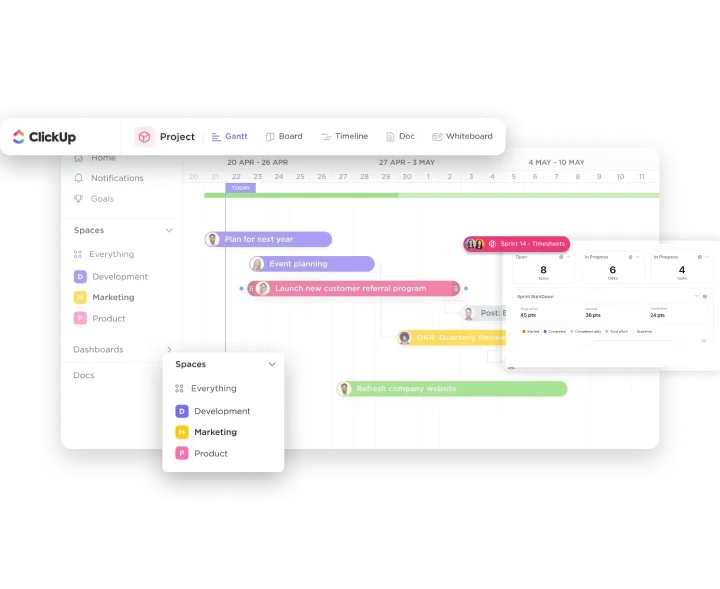
proof          BÜRGER · AI-assisted migration Monday → ClickUp: 150 boards, more than 20,000 tasks, 130 users
proof          KAMPMEYER Immobilien · property data via API from onOffice, without double data entry
proof          AI chatbots in production at Lernstudio Barbarossa, KAMPMEYER and Wüest Partner

relation       is part of → AI Enablement (/en/ai-enablement/)
relation       uses → API integrations (/en/data-enablement/api-integrations/)
relation       extended by → Agentic AI (/en/ai-enablement/agentic-ai/)
relation       complements → AI chatbot (/en/ai-enablement/ai-chatbot/), AI software development (/en/ai-enablement/ai-software-development/)
Good candidates are workflows that happen often, follow clear rules and currently take up time across several systems.


Not every workflow needs AI. We choose the simplest approach that works reliably.
If a workflow needs its own interface, such as a portal for approvals, we build it with AI software development.
We choose the tool based on the workflow, the data volume and your IT’s requirements.
RPA software (robotic process automation) operates user interfaces the way a person does: it clicks through screens and copies values from one program to another. If a screen changes, the workflow breaks.
AI process automation as we build it connects systems through their APIs and uses an AI model only where input is unstructured. This is more stable and easier to maintain. RPA still makes sense when a legacy system has no API.
The prerequisite is clean data that is accessible via APIs. Our Data Enablement page explains how we ensure this.
Automation is one of several building blocks under AI Enablement. Others include chatbots for website visitors, agents for multi-step tasks and custom software.
For the food manufacturer BÜRGER, we transferred 150 boards with more than 20,000 tasks, including attachments and fields, and cleaned up duplicates along the way. An AI model handled the field mapping, and we rebuilt the automations together with the team. Today, 130 users work in the new system.
At KAMPMEYER Immobilien, property data flows via API from onOffice to the website, so nothing is maintained twice. Our AI chatbots answer visitor questions at Lernstudio Barbarossa, KAMPMEYER and Wüest Partner and pass pre-qualified inquiries on to the team.
The cost depends on the systems, data volume and approval levels; you receive a quote for the first process after the process review. Ongoing costs include servers, model calls and maintenance. Self-hosted n8n has no license fee; in the cloud, the Starter plan begins at €20 per month according to n8n (billed annually, as of October 2026).
For new processes, usually n8n. It can be self-hosted, includes AI nodes and, in the cloud, bills per workflow execution regardless of the number of steps. Make suits simpler scenarios run by business teams, and Zapier suits quick connections between standard apps with low volume.
That depends on how it is run. When self-hosted, the workflow data stays on your own infrastructure, and n8n is neither a controller nor a processor. In n8n Cloud, n8n acts as a processor under a data processing agreement, as stated in the n8n privacy documentation. What also matters is which data a workflow sends to AI models.
No. On request, we run workflows end to end, including hosting, updates and error alerts. If you have an IT team, we coordinate access, network and security requirements with them. If you prefer, your team can take over operations later.
A failed run triggers an alert and can be rerun once the issue is fixed. Risky steps, such as deleting or sending, go through an approval first, for example via Slack or email. That way, a wrong result can’t reach the CRM or a customer unnoticed.
No. It takes over routine work such as transferring, syncing and pre-sorting. Decisions, advice and exceptions stay with your teams. Where a workflow is unsure, it hands the case to a person instead of deciding on its own.
Any system with an API, including HubSpot, Salesforce, onOffice, ClickUp, Brevo, Personio and WordPress. If there’s no API, we look at file imports via SFTP and only use RPA as a last resort. The connections we build regularly are listed in the Integrations overview.
As safe as the provider and the contract behind it. A workflow only sends a model the fields that a step needs. We use providers with a data processing agreement and, on request, data centers in the EU, such as Microsoft Azure in Frankfurt. We check whether an implementation is GDPR compliant for each specific process.

